Start with the process, not the technology
Businesses in construction, steel fabrication, engineering, boat building, electrical contracting, concrete prefabrication, manufacturing and specialist installation often rely on costing and quoting systems that have grown with the business.
A workbook may have started with a materials list and a few labour rates. Over time, the business added more products, operations, treatments, supplier prices, project assumptions, customer requirements, exceptions and output formats. A price list may have evolved in parallel, with configurable products, packages and options that have their own dependencies and selling prices.
The resulting system often contains substantial operational knowledge. It may also contain duplicated data, inflexible calculations, undocumented adjustments and dependencies that only one or two people fully understand. On complex work, the consequences appear in familiar ways: a take-off item is missed, a rate is applied against the wrong unit, a treatment is not carried through to the affected components, or a change in the scope is reflected in the quote but not in the underlying project information.
XLS Experts has delivered hundreds of customised solutions to small and medium-sized businesses across New Zealand. That experience has exposed recurring patterns in the way businesses estimate, cost, configure, quote and manage work. It has also established a practical basis for identifying which improvements will make the greatest difference to accuracy, control and operational efficiency.
The objective is not to impose a new system for its own sake. It is to understand the existing process, preserve the input methods and terminology that work well, and address the specific limitations that restrict the business. In some cases, that means restructuring a workbook or adding an Excel app-style interface. In others, it means introducing shared data, system integration, AI-assisted processing or a browser-based application.
Excel remains an exceptionally capable business tool. Its interface is familiar to most people involved in estimating, costing, quoting, project management and administration. It provides a wide range of formulas, lookups, tables, filtering, charts and analytical capabilities that can be applied directly to commercial and operational processes. A well-engineered Excel solution can retain that familiarity while adding controlled data structures, application logic, validation, document generation, dashboards and connections to other systems.
The question is not whether the business should still be using Excel. It is whether the current process provides the control, visibility and flexibility the business now requires.
Some businesses calculate from cost up to margin. Others assemble a selling price from pre-configured prices that already include margin. Many use a hybrid model: standard products or services come from a price list, while non-standard work is calculated from materials, labour, equipment, treatments, subcontracting and other project-specific inputs.
A high-performing system represents those models accurately. It distinguishes a line item from the cost or price calculated from it. It maintains the relationship between an item and its unit of measure, rate basis, treatment, dependency, mark-up and presentation. It permits an authorised exception without changing the standard rate or configuration used elsewhere.
It also recognises that quotation systems need to evolve. A business may require field users to capture information through a browser-based application while office users continue to work in Excel. Another business may benefit from a fully browser-based system with a cloud database and an Excel-like interface.
The appropriate answer depends on the process, the users, the information architecture and the commercial outcome. The technology follows that assessment.
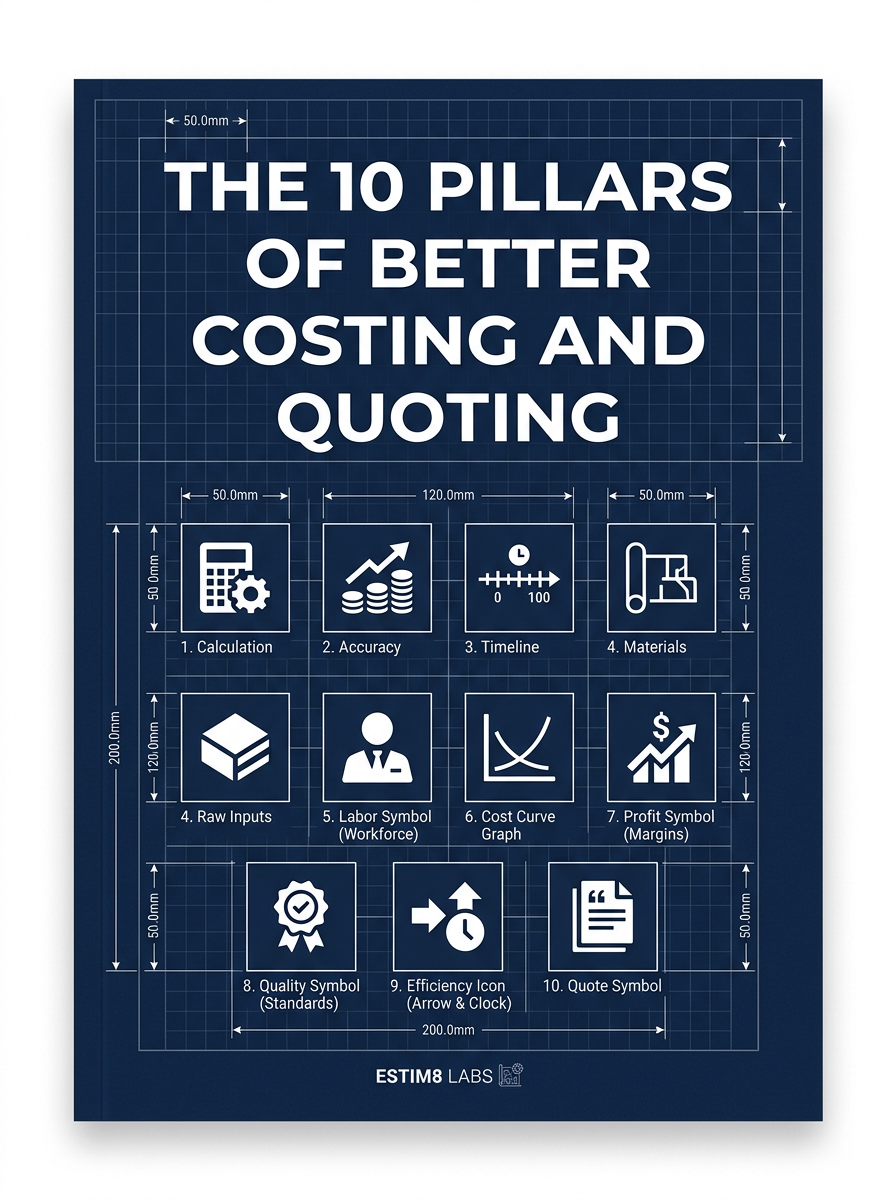
The 10 pillars at a glance
- 01Capture and encode line items and project components accurately
- 02Support the way your business prices projects
- 03Apply rates, mark-ups and commercial rules consistently
- 04Handle complexity, exceptions and manual overrides
- 05Accommodate scenarios, variations, exclusions and margin adjustments
- 06Check, flag and approve unusual results
- 07Configure quotation presentation to match your client expectations
- 08Connect quoting with the rest of the business (and other businesses)
- 09Turn quoting and project data into business insights
- 10Use AI-assisted information processing across the workflow
Capture and encode line items and project components accurately
Ensure that take-offs, products, services, treatments, options, quantities, units and source information are encoded consistently so that the resulting cost or price is reliable and explainable.
The challenge
The first weakness in a costing system is often not the final formula. It is the way the underlying line items and project components are captured.
A take-off item can be omitted before it reaches the quotation. A component can be recorded without the information required to calculate its treatment or associated labour. A supplier price can be entered against a unit that does not match the quantity used in the quote. A product configuration can allow an option that is incompatible with the selected base product. A revision can alter the scope while the quotation continues to reflect an earlier document.
These issues do not arise because experienced estimators misunderstand quantities, rates or commercial terminology. They arise because the structure of the workbook or application does not adequately represent the information and relationships involved.
The high-performing approach
The system establishes a controlled structure for line items, project components, products, services, options, treatments and source information. It records the information required to calculate or assemble a price without forcing every business into the same model.
For a cost-based process, that structure can include:
| Cost or pricing area | Examples |
|---|---|
| Materials and components | Steel, concrete, timber, electrical components, fittings, hardware or purchased products |
| Products or deliverables | Manufactured items, configured products, service packages or project components |
| Labour and operations | Trades, engineering, design, cutting, machining, welding, forming, assembly, installation, testing or commissioning |
| Treatments and finishing | Galvanising, coating, painting, powder coating, plating, curing, fireproofing, inspection or certification |
| Equipment and resources | Machinery, cranes, vehicles, tools, plant and specialist equipment |
| External costs | Subcontractors, freight, permits, specialist services and outsourced processing |
| Commercial items | Overheads, contingency, mark-up, margin, allowances, exclusions and payment terms |
Treatments are often item-specific. A treatment can be applied to selected materials, components or assemblies and calculated by weight, length, area, volume, quantity, hours or another metric. It can also have a minimum charge, a preparation requirement, a supplier rate, a lead time or a compatibility dependency.
For a configured-product process, the structure can include a base product, option groups, accessories, packages, quantity breaks, delivery choices, special-order charges and compatibility rules. Dependencies determine which options are available for a selected product or configuration, and the application enforces those dependencies rather than relying on user memory.
The resulting cost or price is calculated from the encoded information. The system preserves the relationship between the item, its specification, its metric, its rate basis, its treatment and its commercial presentation.
A high-performing capture process preserves the reasoning behind the price, not just the final figure.
Applying this in Excel
A well-designed Excel application can retain familiar worksheet input while adding a more controlled interface for locating, selecting and encoding line items.
A custom form can provide multi-layer item selection, searching, filtering and sorting for direct location of the required item row. The user can work through a product or service category, material or product family, item type, size or specification, treatment or finishing option and relevant unit of measure.
A form or worksheet-driven interface can also provide:
- Search by description, code or keyword
- Filtering by category, material, size, supplier or status
- Sorting by item code, description, price or relevance
- Display of the applicable unit of measure and rate basis
- Selection of standard products, services, components and treatments
- Enforcement of product and option dependencies
- Automatic retrieval of cost or retail price
- Quantity, metric and source-document entry
- Unit conversion and treatment calculations
- Warnings for incomplete or inconsistent inputs
- Controlled support for exceptional items
For example, an estimator can locate a component, select its specification, enter the relevant metric, select a treatment and return the result to the appropriate quote row. The underlying workbook can retain the formulas, tables and supporting data while the user works through a focused application-style interface.
The design can also respond to familiar worksheet actions. A double-click can open the selection form. A category choice can filter the available items. A selected component can determine which treatments are available. A treatment can determine whether the calculation is based on weight, area, length, volume or quantity. A documented override can be accepted without changing the standard rate table.
The objective is not to replace the user’s established method of working. It is to make that method more controlled, more traceable and less dependent on hidden workbook logic.
Practical test
Does the current system:
- Preserve the source, specification and revision behind each significant line item?
- Distinguish items and components from the cost or price calculated from them?
- Support the correct unit of measure and rate basis for each calculation?
- Apply item-specific treatments and treatment metrics consistently?
- Enforce dependencies between base products, options and accessories?
- Allow the existing input method to be enhanced rather than discarded?
Support the way your business prices projects
Support cost up to margin, pre-configured selling prices and hybrid models, including multiple users working concurrently from shared project and price-list data.
The challenge
Businesses price projects in different ways. Some build from materials, labour, equipment, treatments and external costs before applying category or project-level margins. Some configure products or packages from retail price lists that already include margin. Others combine both methods within the same quotation.
The challenge is not choosing one model. It is representing the model accurately and maintaining it when several users are working from shared price lists, project records and configuration data at the same time.
A shared workbook can introduce conflicts, stale copies, inconsistent price lists and uncertainty about which version contains the current project information. A technically suitable solution must account for the Excel version, the shared-file location, the scripting approach and the way data is locked, refreshed and approved.
The high-performing approach
The system separates the pricing model from the user interface. It identifies whether an amount represents a cost, a calculated selling price, a configured retail price, a mark-up, a margin, an allowance or an exception.
A cost-based project can apply rates and margins at the appropriate level: line item, category, component or project. A configured-price project can assemble a selling price from a base product and compatible options. A hybrid project can combine price-list selections with a cost build-up for non-standard work.
The system also establishes a controlled approach to shared use. Common price lists, treatment rates, product configurations and project data require a clear source of truth. Users need to know when data was last refreshed, which values are current and whether a change is subject to approval.
Applying this in Excel
Excel can support multi-user costing and quoting, but the architecture must be designed around the capabilities and limitations of the selected environment.
A solution can use a desktop Excel application with controlled shared data, an Excel for the web workflow, SharePoint or another shared-file location, a database-backed workbook, or a hybrid arrangement. Each option has implications for VBA availability, file locking, simultaneous editing, refresh behaviour, security, offline work, version control and maintainability.
Sound design decisions include:
- Selecting the appropriate desktop or browser version of Excel for the required features
- Determining whether VBA, Office Scripts, Power Query or another scripting approach is appropriate
- Keeping shared master data separate from user-specific working areas where necessary
- Managing concurrent edits and avoiding uncontrolled local copies of price lists
- Establishing refresh, locking, approval and change-control rules
- Using SharePoint or shared-file locations for what they handle well, while working around their limitations rather than assuming they provide a complete database
- Introducing SQL or another shared data layer when concurrent use, data integrity or reporting requirements justify it
- Preserving an Excel dashboard or worksheet interface for users who are most effective in that environment
For example, multiple estimators can work on separate projects while drawing from a controlled price and treatment library. Project-specific changes remain associated with the project, while approved changes to the common library follow a defined process. The result is not simply a workbook stored in a shared folder; it is a designed multi-user process.
Shared access is an architecture decision, not merely a file-location decision.
Practical test
Does the current system:
- Support the pricing model or combination of models used by the business?
- Distinguish cost, selling price, retail price, mark-up, margin and exception values?
- Provide a controlled source for shared price lists and configuration data?
- Define how simultaneous users, refreshes, approvals and changes are handled?
- Use the appropriate Excel version and scripting approach for the required functionality?
- Recognise the limitations of SharePoint or shared files and compensate through sound design?
Apply rates, mark-ups and commercial rules consistently
Maintain rate bases, mark-ups, minimum charges, allowances and commercial rules in a controlled way, while retaining the ability to authorise and record exceptions.
The challenge
Standard rates often begin as a strength of the estimating process. Over time, rates can be duplicated across workbooks, embedded in formulas, adjusted without a record or applied against inconsistent units.
A labour rate can be correct for its standard unit but unsuitable when the calculation requires a different unit of measure. A treatment rate can be maintained separately from the component data to which it applies. A category mark-up can be applied twice, or not at all, when a component is regrouped for presentation. A minimum charge or allowance can be visible to one estimator but absent from another version of the workbook.
The high-performing approach
The system maintains rates and commercial rules as controlled data with an explicit basis of calculation. Each rate records the unit, effective date, source, category, supplier or other relevant attributes. The calculation then links the rate to the line item, project component, treatment or commercial category to which it applies.
Mark-ups and margins are applied at the level that reflects the business’s commercial practice. A business can apply different margins to materials, labour, treatments, subcontracting or installation, then apply a project-level adjustment. A configured product can use a retail price that includes margin, while a non-standard option carries a separate cost or selling-price adjustment.
A standard rate remains protected from an individual project’s exception. Where a job requires a one-off adjustment, the system records the override, its reason, its authorisation and its effect on the calculation. The exception becomes visible without contaminating the standard data used by other projects.
Applying this in Excel
An Excel app-style solution can use structured tables, named ranges, lookup logic, Power Query, VBA forms and event-driven worksheet behaviour to make rate application explicit and auditable.
A selected line item can determine the applicable rate table, unit of measure and treatment basis. A selected project or category can determine the relevant mark-up rule. A warning can identify when a rate is out of date, when a unit conversion is required or when an override has been applied.
The user can still work through a familiar worksheet. The difference is that the rate source, calculation basis and commercial rule are visible and controlled rather than buried in a formula copied from an earlier project.
A rate is only trustworthy when its unit, its source and its authorised exceptions travel with it.
Practical test
Does the current system:
- Maintain a controlled source for standard rates and commercial rules?
- Record the unit and calculation basis for each rate?
- Apply category and project-level mark-ups without double counting?
- Distinguish standard rates from project-specific overrides?
- Record the reason, authorisation and effect of an exception?
- Make the commercial calculation traceable from the encoded item to the quoted result?
Handle complexity, exceptions and manual overrides
Represent non-standard work, unusual requirements, additional treatments and one-off adjustments without hiding them in formulas or changing the standard data used by other projects.
The challenge
Standardisation is essential, but standardisation alone does not describe real project work. A design change can introduce an unusual material. Site access can require additional labour or equipment. A client can request a special finish, a non-standard component or a different delivery sequence. A one-off commercial adjustment can be necessary to reflect risk, urgency or a negotiated scope.
A rigid workbook often handles these requirements through copied formulas, hidden rows, hard-coded values or notes in email. The result is a system that either rejects legitimate commercial judgement or accepts it without a reliable record.
The high-performing approach
The system distinguishes standard data from project-specific data. It provides explicit structures for non-standard items, special requirements, additional treatments, one-off charges, exclusions and authorised overrides.
An exception records its basis, its affected items or components, its calculation method, its authorisation and its impact on the quote. A manual override changes the project result without rewriting the standard rate, product or treatment rule used by other work.
The system also preserves the relationship between a complex item and the components that support it. A single quoted component can contain materials, labour, processing, finishing, freight and installation while remaining traceable to the underlying detail.
Applying this in Excel
An Excel application can provide an explicit exception form rather than requiring an estimator to edit a protected formula. The form can capture the exception type, reason, affected item or component, rate basis, quantity, authorisation and commercial effect.
Event-driven worksheet logic can then highlight the exception, include it in the relevant calculation and display it in the quotation or internal review. Protected standard tables remain unchanged. A revision history can show when the exception was added, amended or removed.
This approach preserves experienced judgement while preventing the judgement from becoming invisible workbook logic.
A controlled exception is a design feature. An unexplained hard-coded adjustment is a future reconciliation problem.
Practical test
Does the current system:
- Represent unusual requirements without altering standard master data?
- Distinguish a project exception from a permanent rate or product change?
- Record the reason and authorisation for manual overrides?
- Show which items, components or quotation sections are affected?
- Preserve an audit trail when complex work changes during estimating?
Accommodate scenarios, variations, exclusions and margin adjustments
Model alternatives, project variations, exclusions, contingencies and margin adjustments while preserving the relationship between the original quote and subsequent commercial decisions.
The challenge
A quotation rarely remains a single, static calculation. The business can compare alternative materials, revise quantities, respond to a client variation, exclude a scope item, add a contingency or alter the margin before the quotation is accepted.
Without a structured scenario process, alternatives are often saved as separate files. Variations can be mixed with the original scope. Exclusions can remain in correspondence rather than in the quote record. Margin changes can be made without visibility of their effect on the project outcome.
The high-performing approach
The system maintains a clear baseline for the original quote and represents alternatives, variations, exclusions and margin adjustments as identifiable changes to that baseline.
An alternative can compare materials, labour assumptions, suppliers, production methods, delivery arrangements or commercial rules without overwriting the primary option. A variation can record the affected scope, the reason for the change, the cost or price impact and the date of the revision. An exclusion can be stated in the quotation and retained in the project record.
Margin adjustments remain visible as commercial decisions. The system shows their effect on selling price, expected margin and, where available, projected project performance.
Applying this in Excel
Excel can provide scenario controls through structured tables, selectable assumptions, scenario columns, comparison sheets and VBA-driven controls. An estimator can switch between defined alternatives without creating uncontrolled copies of the workbook.
A variation form can add, remove or amend scope while preserving the original quote. An exclusions register can feed both the internal review and the customer-facing document. A margin control can display the effect of an adjustment by category, component and total project.
A practical interface makes the commercial effect of a scenario visible before it becomes a commitment.
A scenario should show what changes, what remains constant and how the commercial result moves.
Practical test
Does the current system:
- Preserve the original quotation as a reference point?
- Compare scenarios without creating uncontrolled workbook copies?
- Record variations, exclusions and scope changes explicitly?
- Display the effect of margin adjustments on selling price and expected margin?
- Carry accepted variations into the project or order record?
Check, flag and approve unusual results
Identify missing information, anomalous quantities, inconsistent units, low margins and other exceptions before a quote is issued, with appropriate review and approval controls.
The challenge
A quotation can appear complete while containing an omitted line, an unusual quantity, an inconsistent unit, an expired rate, a duplicated component or a margin below the business’s intended threshold.
These issues are often found late, through manual review or after the quote has been issued. A review process that depends entirely on a person remembering every check is difficult to scale and difficult to demonstrate.
The high-performing approach
The system applies validation and exception checks before the quotation is released. It checks the completeness of required fields, the consistency of units, the status of rates, the presence of required treatments, the relationship between quantities and components, and the commercial result.
Rules can be advisory or blocking. A missing supplier rate can require review. An unusually low margin can trigger approval. A duplicated item can generate a warning. A change to a controlled price list can require an authorised release.
The review record identifies the quote version, the checks performed, the exceptions identified, the person responsible and the approval status.
Applying this in Excel
Excel can use data validation, conditional formatting, formulas, VBA checks, Power Query quality tests and event-driven alerts to surface unusual results at the point they arise.
A review dashboard can group issues by severity and take the reviewer directly to the affected row, component or project assumption. A release button can prevent document generation until blocking issues are resolved or explicitly authorised.
Checksums, control totals and reconciliation tests can confirm that the detail supporting the quote agrees with the summary being presented. These controls are particularly useful where data is exchanged between worksheets, files, databases or third-party systems.
The purpose of validation is not to replace professional review. It is to direct professional review to the results that require it.
Practical test
Does the current system:
- Identify missing, duplicated or inconsistent information before release?
- Flag unusual quantities, rates, margins and treatment calculations?
- Distinguish warnings from conditions that prevent quotation release?
- Record review, approval, version and release status?
- Reconcile detailed calculations with summary and customer-facing outputs?
Configure quotation presentation to match your client expectations
Separate internal calculation from external presentation, supporting item, component, package, project and combined quotation formats according to the client’s requirements.
The challenge
The internal calculation structure and the customer-facing quotation structure are often different. A business may calculate a project from hundreds of line items but present a small number of components or packages. Another client can require item-level detail, while a third expects a project-level price with defined inclusions and exclusions.
A quotation that exposes too much internal detail can confuse the customer. A quotation that hides necessary detail can create uncertainty about scope, assumptions and commercial responsibility.
The high-performing approach
The system separates calculation from presentation. It retains the detailed line items and components required for internal control while configuring the customer-facing document according to the client’s expectations and the nature of the work.
Presentation can operate at item, component, package, project or combined levels. A component can aggregate materials, labour, treatments and other inputs into a meaningful customer-facing description. Selected items can remain visible where the customer requires technical or commercial detail.
The quotation can include scope, assumptions, exclusions, lead times, validity, payment terms, alternatives, variations and revision information without requiring the calculation workbook to be reorganised around one document format.
Applying this in Excel
An Excel solution can use presentation settings, grouping structures, named ranges and document templates to produce different quotation formats from the same controlled calculation.
A user can select whether the output should show item detail, components, packages, project totals or a combination. The document-generation logic can apply customer-specific templates, include approved exclusions and variations, and retain a reference to the source quote version.
The result is a quotation that reflects how the client evaluates the work without sacrificing the detail required by the estimating and project teams.
The customer-facing quotation should reflect the customer’s decision, while the underlying system retains the detail required to support it.
Practical test
Does the current system:
- Separate calculation detail from customer-facing presentation?
- Support item, component, package, project and combined formats?
- Carry approved assumptions, exclusions and variations into the output?
- Produce consistent documents from a controlled quote version?
- Adapt presentation to the client’s expectations without rebuilding the calculation?
Connect quoting with the rest of the business (and other businesses)
Exchange information with internal systems and with customers, suppliers, subcontractors and other external businesses through appropriate files, databases, APIs and workflow hand-offs.
The challenge
The quotation is often the point at which operational information should move into the rest of the business. Yet the accepted quote can remain a separate workbook or PDF. Project teams then re-enter scope, suppliers receive incomplete information, and customer or subcontractor communications are disconnected from the original calculation.
Manual re-entry introduces another opportunity for transcription error. A change in the accepted scope can fail to reach the schedule, purchase order, invoice or project cost record.
The high-performing approach
The system defines the information that should move after quotation acceptance and the format in which each receiving process requires it. It can transfer project components, quantities, rates, exclusions, customer details, delivery requirements and approved variations without requiring the information to be reconstructed manually.
Connections can use structured files, database tables, APIs, direct SQL, email automation or controlled hand-offs. The appropriate method depends on the systems involved, data ownership, security requirements and the level of integration justified by the process.
The connection also has to work in the reverse direction. Supplier pricing, production status, project costs and customer changes can inform the quoting and project record without creating a second unconnected source of truth.
Applying this in Excel
Excel can import and export structured files, query SQL data, call approved APIs, generate documents, prepare emails and refresh information from connected sources. VBA, Power Query and other scripting approaches can coordinate these actions within a familiar workbook where that remains appropriate.
An accepted quotation can create a project record, produce a work pack, prepare supplier information, issue an internal hand-off or populate a project-costing structure. Control totals, checksums and status fields can confirm that the transferred information matches the approved quote.
The aim is not to connect every system to every other system. It is to remove the specific re-entry and information gaps that create operational risk.
Integration is valuable when it removes a defined information failure, not simply because another system is available to connect.
Practical test
Does the current system:
- Move accepted scope into project, purchasing or delivery processes?
- Reduce re-entry of customer, item, component and commercial information?
- Support appropriate file, database, SQL or API connections?
- Confirm that transferred information matches the approved quote?
- Keep ownership, status and revision information visible across the hand-off?
Turn quoting and project data into business insights
Compare quoting and project performance by job type, job size, salesperson, estimator, project manager, customer, category, margin, outcome and variations.
The challenge
A business can prepare many quotations and complete many projects without developing a reliable view of what is driving performance. The information exists across workbooks, documents, project systems and accounting records, but it is not structured for comparison.
Management then has difficulty answering practical questions. Which job types produce the strongest margins? How does performance vary by job size, salesperson, estimator or project manager? Which customers or categories generate repeat work? Where do variations arise, and what happens between quoted and actual performance?
The high-performing approach
The system retains the information required to compare quotes and projects on consistent dimensions. It distinguishes quoted, accepted, declined, cancelled, completed and actual outcomes. It links the quote to the project, customer, category, responsible personnel, scope changes and commercial result.
A dashboard can compare these dimensions consistently. It can show both aggregate performance and the underlying projects that form the result.
The dashboard should support investigation rather than present unexplained totals. A change in margin can be traced to rates, quantities, treatments, variations, purchasing, labour, scope or the commercial decision made at quotation.
Applying this in Excel
Excel provides a strong analytical environment through structured tables, PivotTables, formulas, Power Query, charts, slicers and dashboard worksheets. Data can be consolidated from multiple projects while maintaining links to the underlying records.
A management dashboard can allow filtering by these dimensions and by variation status. A selected result can open the supporting project or quote detail.
Where Excel is no longer the appropriate reporting layer, the same structured data can support a database or browser-based dashboard. The design principle remains the same: management insight depends on consistent source information and meaningful dimensions.
A dashboard is only as reliable as the line-item, project and outcome information beneath it.
Practical test
Does the current system:
- Distinguish quoted, accepted, declined, cancelled and completed work?
- Compare performance using the same defined dimensions?
- Show margin, variations and outcomes using consistent definitions?
- Allow a management result to be traced back to the supporting project data?
- Provide a reliable basis for deciding which process improvements matter most?
Use AI-assisted information processing across the workflow
Apply AI where it can organise information, reduce manual processing, identify patterns or support decisions, with review controls appropriate to the commercial risk.
The challenge
Costing and quoting processes receive information in forms that were not designed for structured calculation: customer emails, drawings, specifications, photographs, supplier documents, spreadsheets, schedules and historical quotations.
Experienced staff often spend significant time locating information, comparing documents, identifying relevant items, classifying requests, transferring details into workbooks and searching historical quotes. The work requires judgement, but not every part of it requires manual processing.
The high-performing approach
AI-assisted processing is applied to defined tasks with clear review responsibilities. It can classify incoming information, extract candidate line items, identify differences between revisions, locate similar historical quotations, organise supplier documents, identify missing information and suggest anomalies for review.
The system does not treat an AI result as an approved commercial decision. It records the source information, the extracted or suggested result, the confidence or review status and the person responsible for accepting, correcting or rejecting it.
AI can be introduced at different points in the workflow: document intake, take-off preparation, item classification, quote comparison, customer communication, anomaly support, project hand-off and management reporting.
Applying this in Excel
Excel can act as the controlled working environment while AI-assisted processing operates through approved services, scripts, APIs or supporting applications. A user can select a document or email, request structured candidate information and review the result before it enters the quote.
AI can help identify likely products, components, treatments, quantities, specifications and historical matches. It can draft a summary of changes between quote versions or prepare an email requesting missing information. The workbook or connected application remains responsible for the data structure, validation and approval workflow.
The strongest use cases remove repetitive information handling while leaving commercial judgement with the estimator, project manager or authorised reviewer.
AI should reduce information-processing effort without reducing accountability for the commercial result.
Practical test
Does the current system:
- Identify repetitive information-processing tasks suitable for AI assistance?
- Preserve the source document or message behind an extracted result?
- Require human review before AI-assisted information affects a quote?
- Record corrections, approvals and rejected suggestions?
- Apply AI where it improves the process without obscuring commercial accountability?
Additional or alternate pathway: extend or migrate to a browser-based business application
A browser-based application can complement Excel, replace selected parts of the process or become the primary system. Enhanced AI programming tools now make some solutions viable that were previously dismissed as too expensive to develop.
Some businesses will gain more from improving Excel. Others will benefit from combining Excel with a browser-based application, or from migrating the costing and quoting process into a connected web system.
A hybrid arrangement
A field technician, site supervisor or salesperson can capture job information through a browser-based form while the office team continues to use a familiar Excel costing and quotation dashboard. The web application can collect structured information, photographs, measurements, notes and status updates. Excel can retrieve the information, apply costing and pricing logic, support review and generate the quotation.
This arrangement is useful when field users require access from different locations while office users rely on established Excel methods. It also provides a staged path: the business can improve information capture first without migrating the entire costing process at once.
A browser-based costing and quoting application
A complete browser-based application can provide shared access, a cloud database, user permissions, revision history, workflow states, centralised price lists, dashboards and an Excel-like interface. It can support users who work in the office, on site or across multiple locations without requiring each person to maintain a local workbook.
The appropriate design still depends on the process. A browser-based interface is not automatically better than Excel for every user or every calculation. The application must represent the business’s line items, components, treatments, units, pricing models, exceptions, approvals and quotation formats accurately.
The economics have changed
Custom application development was previously dismissed in many situations because the time and cost required to build a capable system were too high relative to the expected benefit. Enhanced AI programming tools have changed that calculation. More functionality can now be developed in less time, including data structures, user interfaces, workflow, dashboards and integrations.
That does not remove the need for proper discovery, design, testing, security or ongoing support. It does make a browser-based application a viable option in more situations than before. The appropriate question is whether the business outcome justifies the pathway and whether the system can be delivered in proportion to the problem.
The choice is not simply Excel or web application. The right solution can improve Excel, connect Excel to a web application, or migrate the process in stages.
Practical test
Would the business benefit from:
- Field-based information capture connected to office costing and quoting?
- Shared access to projects, price lists, configurations and approvals?
- A browser-based interface for users who work across locations?
- A cloud database and centralised workflow rather than local workbook copies?
- A staged migration that improves the current process before replacing it?
Closing perspective
The strongest costing and quoting systems are not defined by a particular technology. They are defined by the quality of the information captured, the transparency of the calculation, the discipline of the commercial rules, the handling of exceptions and the usefulness of the result to the wider business.
For some businesses, the highest-return improvement will be a focused change to an existing workbook. It could be a better item-selection interface, a controlled rate table, a treatment calculation, a validation layer, a document-generation process or a management dashboard. For others, the opportunity will justify shared data, integration, AI-assisted processing or a browser-based application.
We assess the existing process before recommending the delivery path. The aim is to identify the improvement that creates the greatest practical benefit and deliver it with a level of structure, control and technology proportionate to the business requirement.
About XLS Experts NZ
XLS Experts NZ develops customised Excel, VBA, data, integration and browser-based solutions for businesses that need more control and capability from their costing, quoting, project and operational processes. The work ranges from focused improvements to complete systems, with the existing business process and the people who use it remaining central to the design. Estim8 Labs is its dedicated estimating and quoting practice.
Keep a copy of the guide
We'll email you a link to The 10 Pillars of Better Costing and Quoting so you can share it with your estimating team.